Follow the tutorial TO ACTIVATE YOUR QR CODE AND START YOUR GAME
Follow the tutorial TO ACTIVATE YOUR QR CODE AND START YOUR GAME
STEP 1TAKE A QR CODE
Pick up a QR code from the SPASH stand in your club.
It will allow you to identify yourself and interact with the system on the court.
STEP 1
TAKE QR CODE
Pick up a QR code from the SPASH stand in your club.
It will allow you to identify yourself and interact with the system on the court.
STEP 2STICK IT ON YOUR RACKET
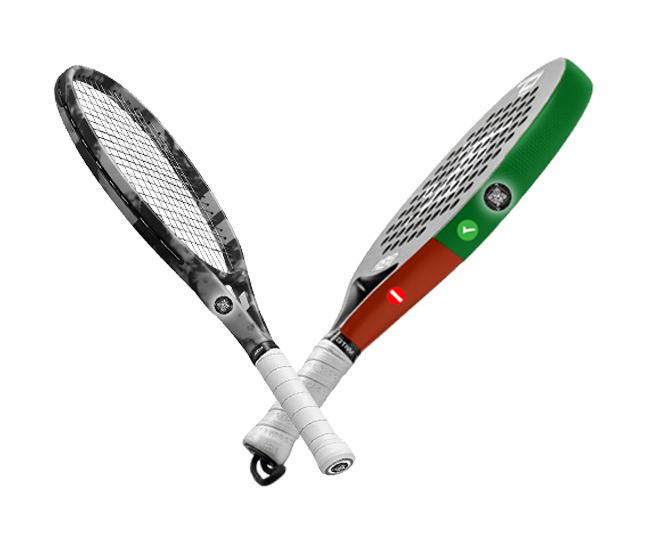
Stick the QR code on your racket in the location shown in the photo so that it can be easily detected and scanned by our system.
STEP 2
STICK IN YOUR RACKET
Stick the QR code on your racket in the location shown in the photo so that it can be easily detected and scanned by our system.
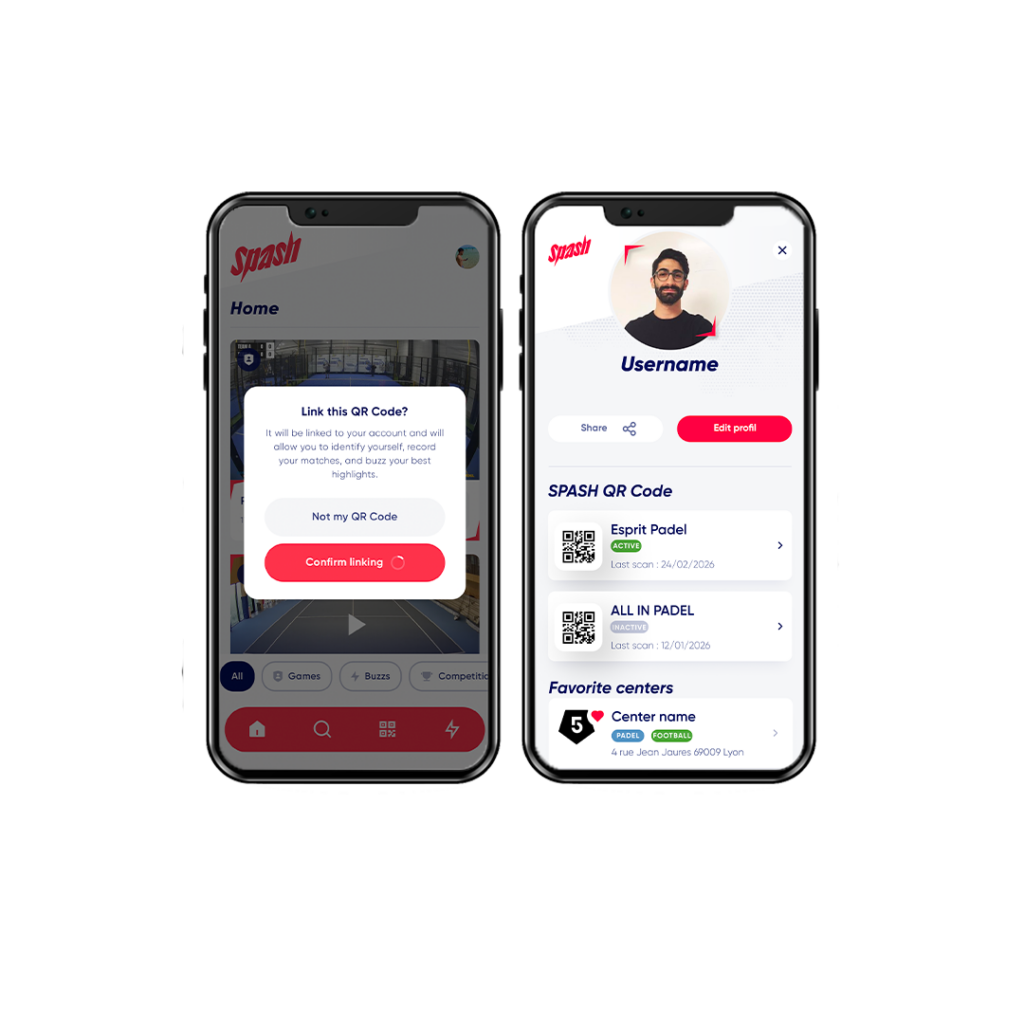
STEP 3OPEN THE SPASH APP
Open your SPASH app if you already have it.
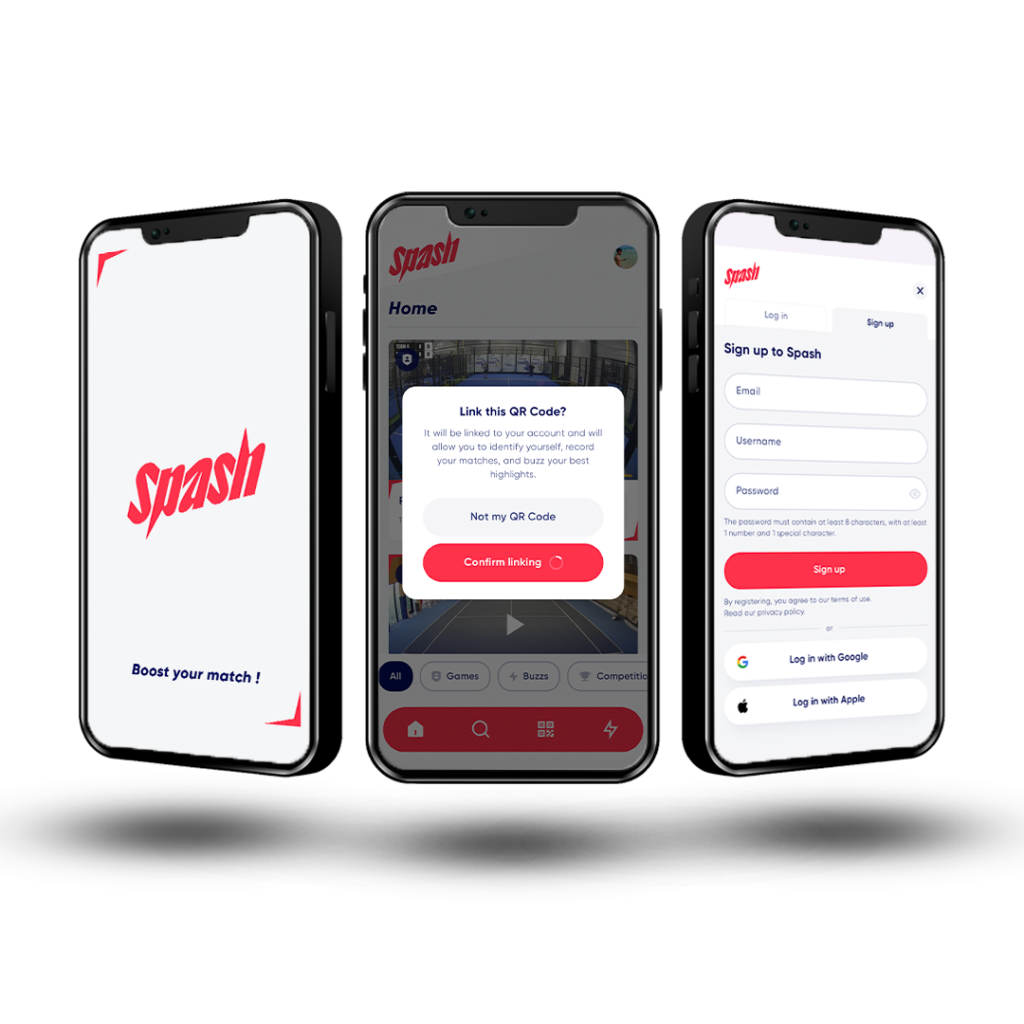
Otherwise, scan the QR code with your phone to download the app and log in.
STEP 3
OPEN THE SPASH APP
Open your SPASH app if you already have it.
Otherwise, scan the QR code with your phone to download the app and sign in.
STEP 4CONFIRM THE ACTIVATION OF YOUR QR CODE
Once logged into the app, scan your QR code again to validate your identification and be recognized by our system.
You can find all your SPASH QR codes directly in your profile within the app.
STEP 4
CONFIRM THE ACTIVATION OF YOUR QR CODE
Once logged into the app, scan your QR code again to validate your identification and be recognized by our system.
You can find all your SPASH QR codes directly in your profile within the app.
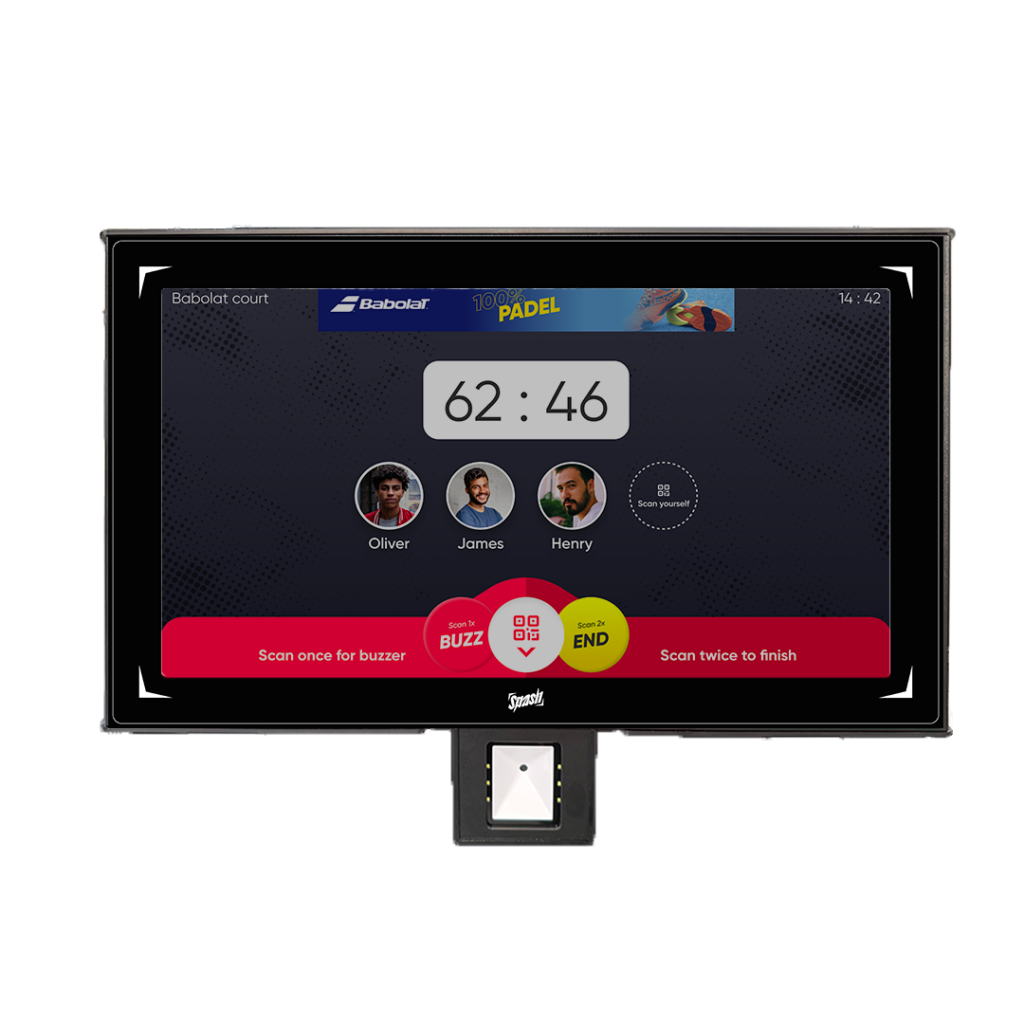
STEP 5SCAN YOUR RACKET ON THE COURT
Place your racket and the QR code in front of the QR code reader located under the screen (from inside the court) to link your profile to the game.
STEP 5
SCAN YOUR RACKET ON THE COURT
Place your racket and the QR code in front of the QR code reader located under the screen (from inside the court) to link your profile to the game.
STEP 6START THE GAME
Follow the instructions displayed on the screen and start playing.
STEP 6
START THE GAME
Follow the instructions displayed on the screen and start playing.